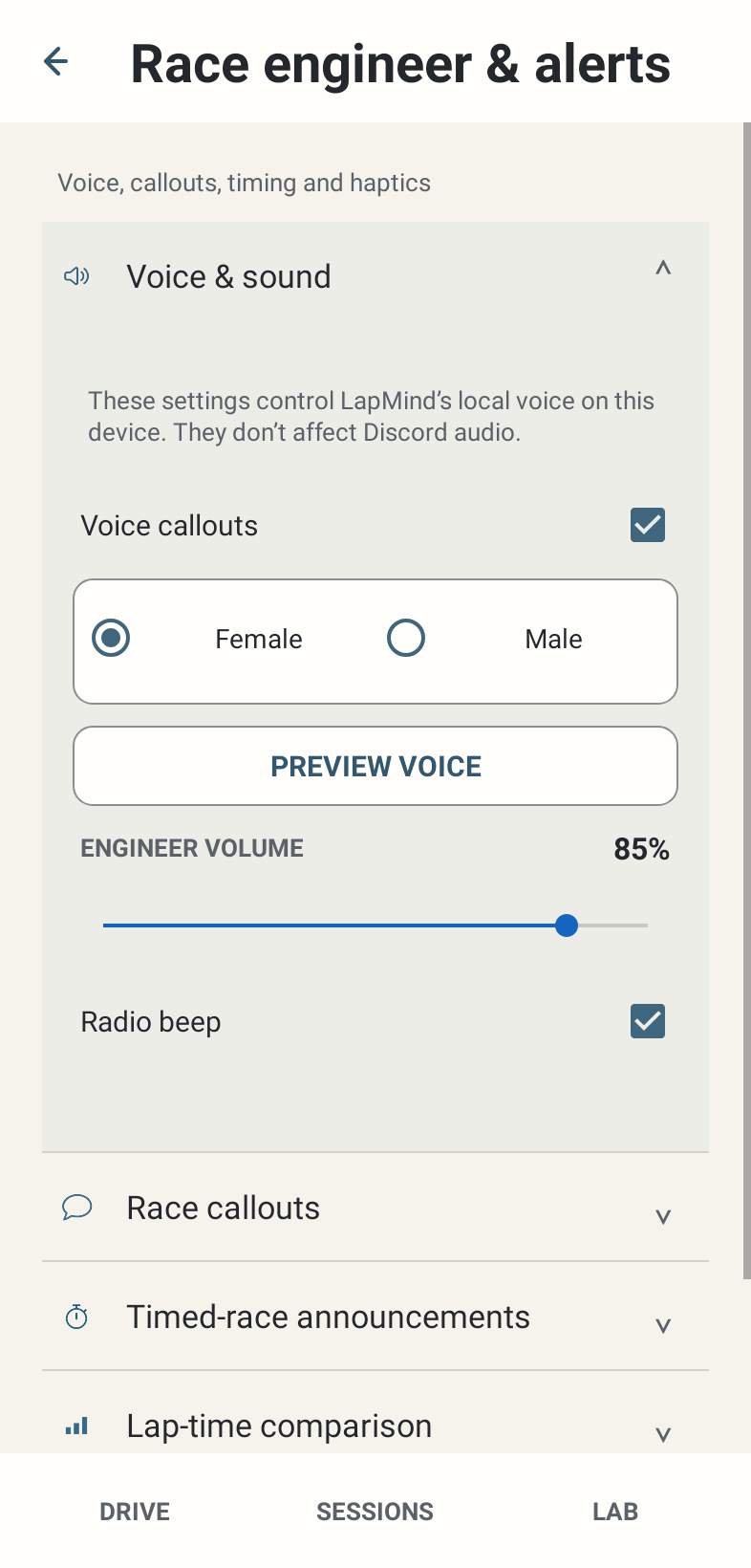
Where: Settings → Race engineer & alerts → Voice & sound.
How to use it
- Enable Voice callouts for local Android speech. Choose Female or Male from the available voice preference and press Preview voice before driving.
- Adjust Engineer volume from 0 to 100%. Also check Android media volume and the actual phone/headset output route.
- Enable or disable Radio beep for the local speech cue. Preview voice is a manual check, not a telemetry event.
- If a preferred voice is missing, inspect the installed Android text-to-speech engine and English voice data. Device engines provide the voices; LapMind cannot supply a missing voice pack.
Options and defaults
| Control | Fresh default | Values / action | Condition or meaning |
|---|---|---|---|
| Voice callouts | ON | On / Off | Local voice only |
| Voice | Female | Female / Male | Preference among installed Android voices |
| Preview voice | Manual action | Play preview | Check actual audibility |
| Engineer volume | 85% | 0–100% | Local speech volume; Android output also matters |
| Radio beep | ON | On / Off | Local cue |
Operating principle and expected output
Local speech uses Android TTS. The app tries an English voice and available fallback. Voice selection, volume and beep settings here govern local output, independently of Discord. Event settings still determine what factual messages qualify.
When output is absent or limited
Voice ON does not guarantee an audible message. Missing facts, detail/group gates, lifecycle state, urgent communication, freshness, TTS failure, audio focus and output routing can all prevent speech. The app does not replay stale race facts just because an output was unavailable.