
01
Mix on a PC
A PC can combine PS5 game audio and Android audio and send both to one headset.
Example: Elgato 4K S + Windows + Arturia MiniFuse 2 + PC headset.
No Discord needed
How it works
LapMind receives supported GT7 telemetry over your local network, keeps the useful parts on Android, and speaks when it has something worth saying.
1 · HUD off
In GT7, open Settings → Display Settings and set Race Info Display to Off. You can do it before the race or from the pause menu.
2 · PlayStation
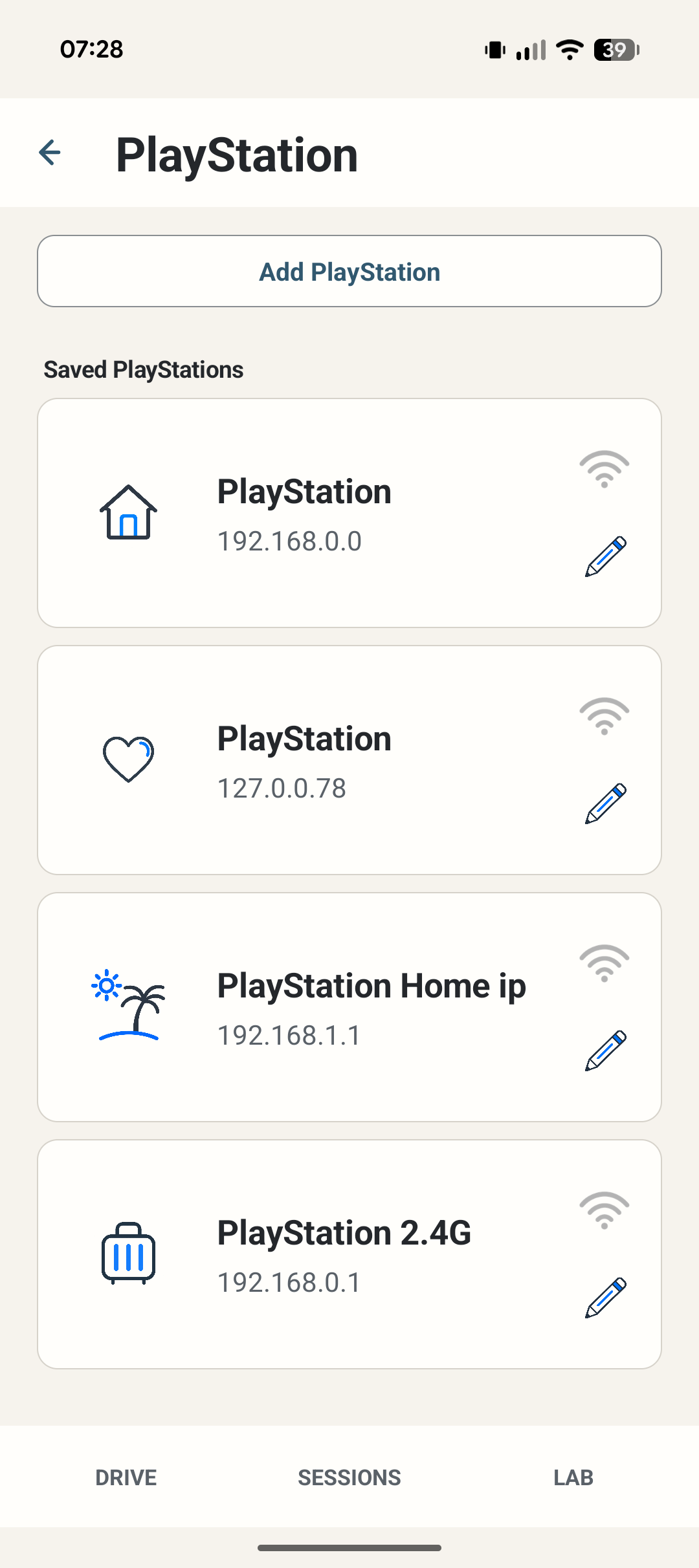
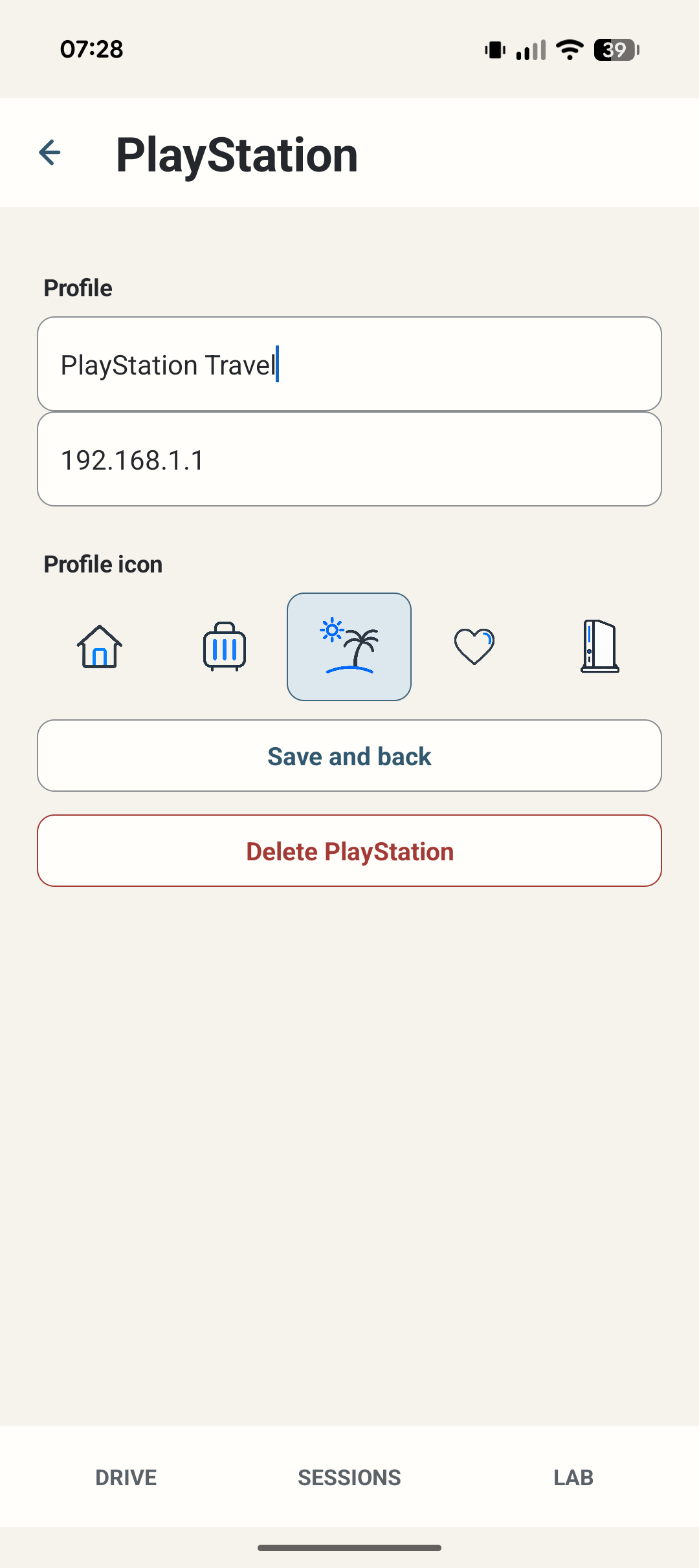
Save the PlayStation on your local network. If you use more than one setup, give each profile a name and an icon so it still makes sense months later.
3 · Drive
The phone is the computer LapMind needs. No PC is required for the core app. There is no LapMind account and no telemetry cloud.
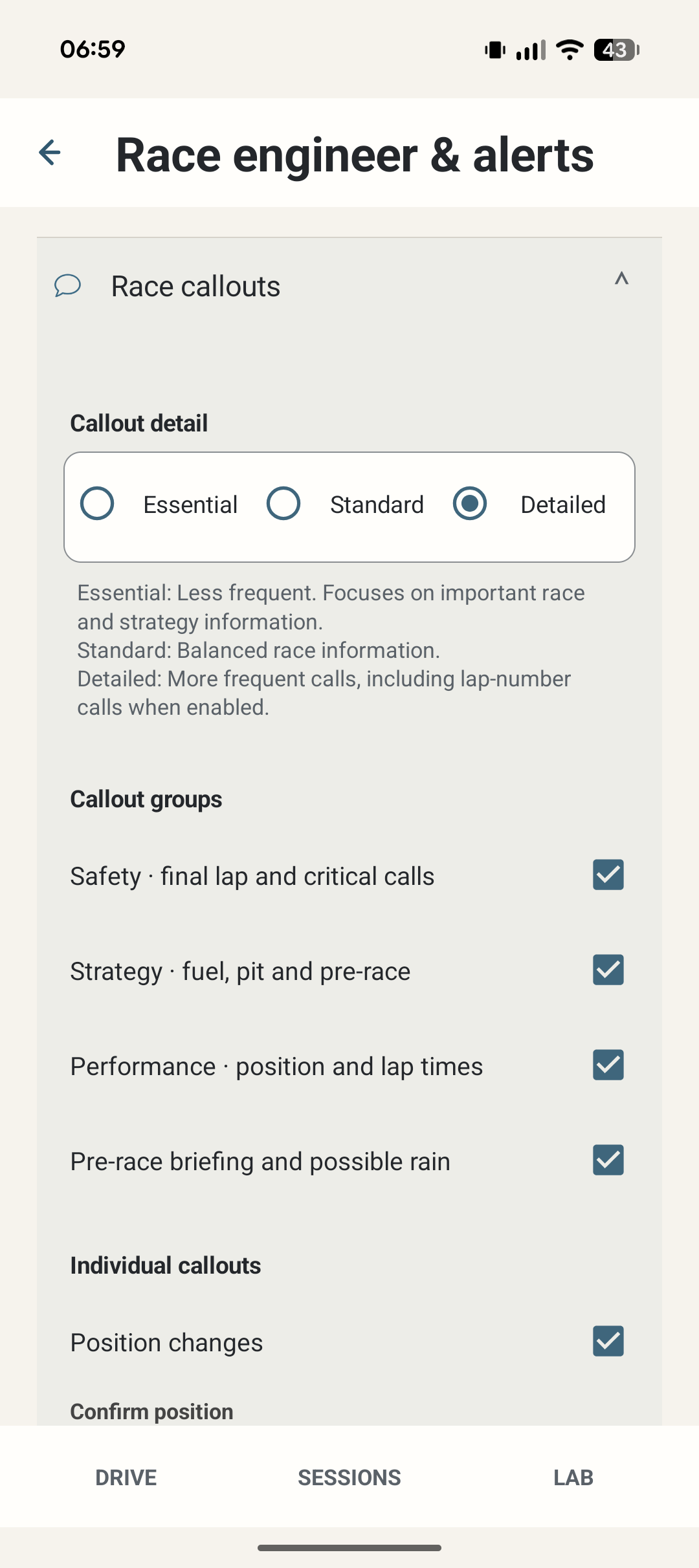
Race callouts can be kept sparse or made more detailed. The point is not to recreate the HUD in audio; it is to hear the bits that matter without looking away from the road.
4 · Review
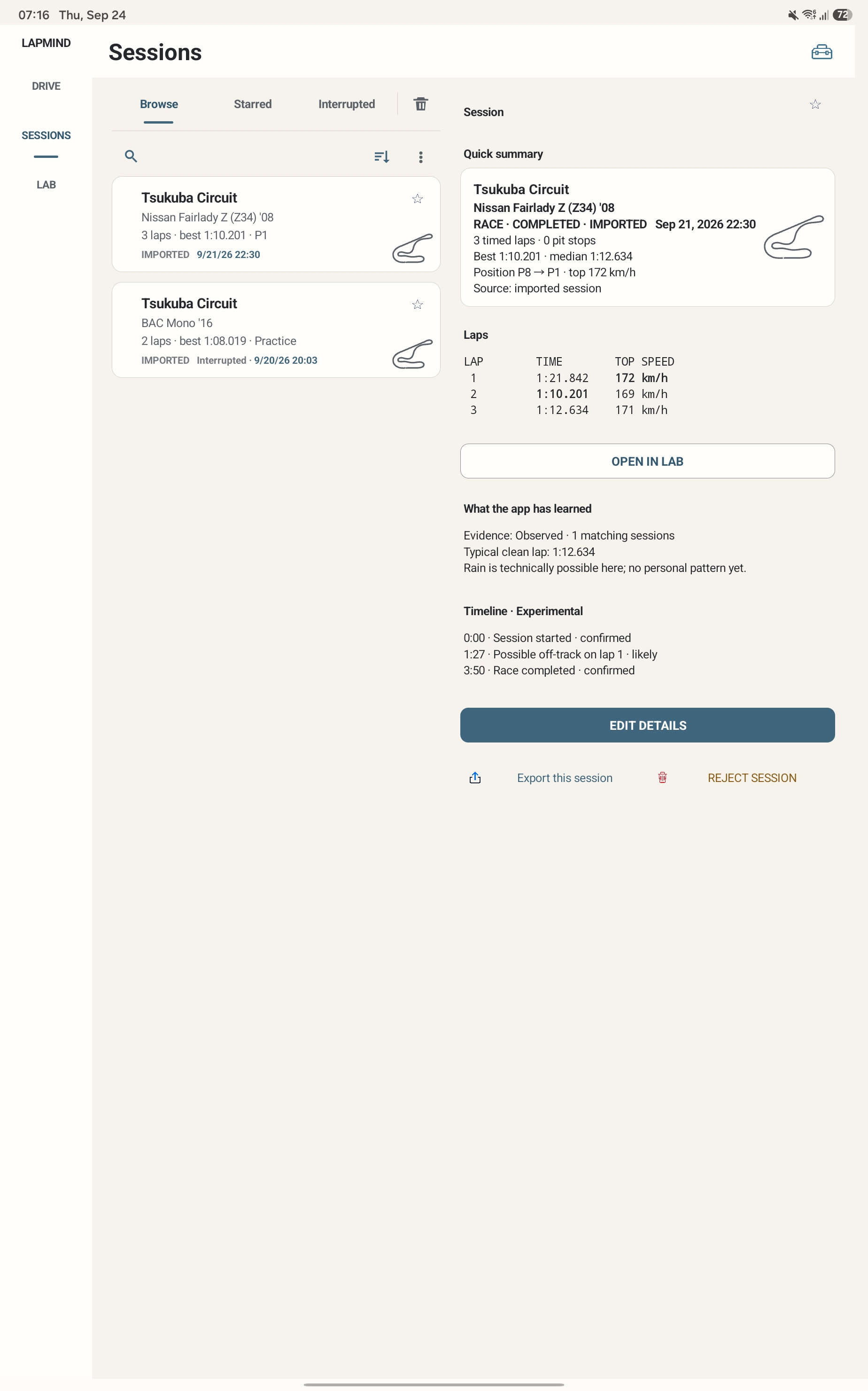
Afterwards, open a saved session, pick a lap and analyse it. The normal path is Sessions → Lap → Analyse → Track Lab. No diagnostics ZIP or file picker is needed for normal use.
Discord is optional for LapMind. It may not be optional for your headset.
01
A PC can combine PS5 game audio and Android audio and send both to one headset.
Example: Elgato 4K S + Windows + Arturia MiniFuse 2 + PC headset.
No Discord needed
02
Some headsets can play PS5 2.4 GHz audio and Android Bluetooth at the same time. The headset does the mixing.
Examples: SteelSeries Arctis Nova 7 Gen 2; Turtle Beach Stealth 700 Gen 3 (PlayStation).
No Discord needed
03
For a single-source headset, LapMind can send its voice through your own private Discord bot into a voice channel on the PS5.
My setup: PS5 + PSVR2 + Sony INZONE Buds.
LapMind → private bot → PS5 Discord → headset
Discord Companion
Because LapMind does not run a hosted voice service behind the scenes. Your bot gives the app a route into your Discord voice channel without putting a LapMind server in the middle.
The one-time setup is a deliberate trade: a few minutes once, then no LapMind account, no hosted bot and no per-user voice backend.
That small infrastructure footprint is also part of how I'm keeping LapMind free.
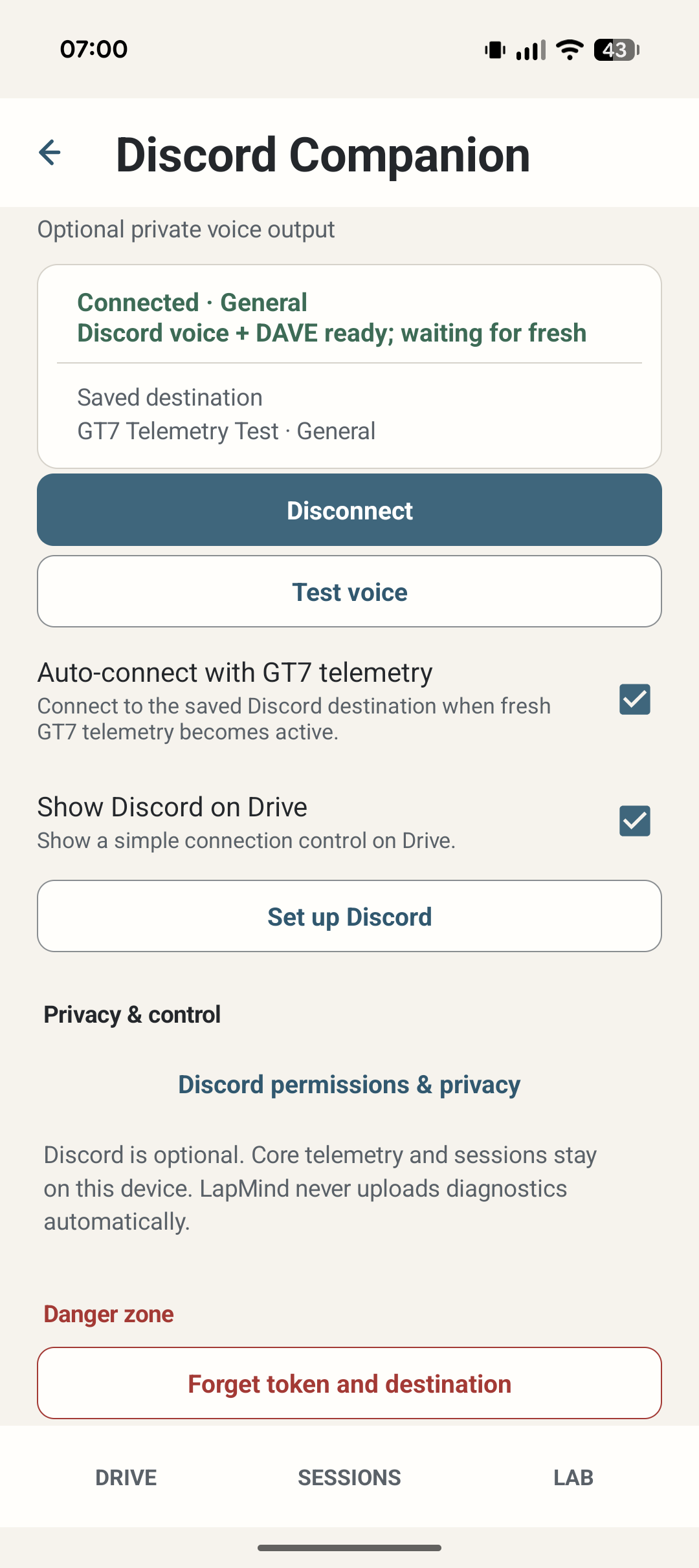
The setup starts from Discord Companion in Settings. The current screen keeps the saved destination, can test voice and can reconnect when fresh GT7 telemetry appears.
One rule
GT7 does not expose everything. Missing truth stays missing instead of becoming a confident guess.
Support
Tell me what happened and what setup you're using. That's usually enough to start.