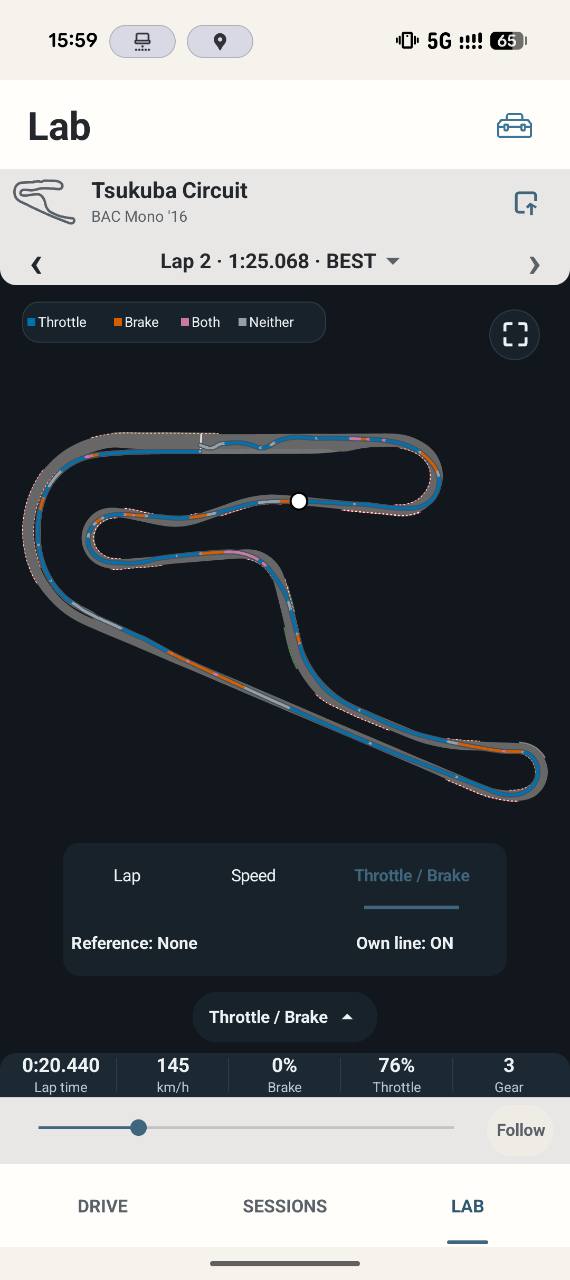
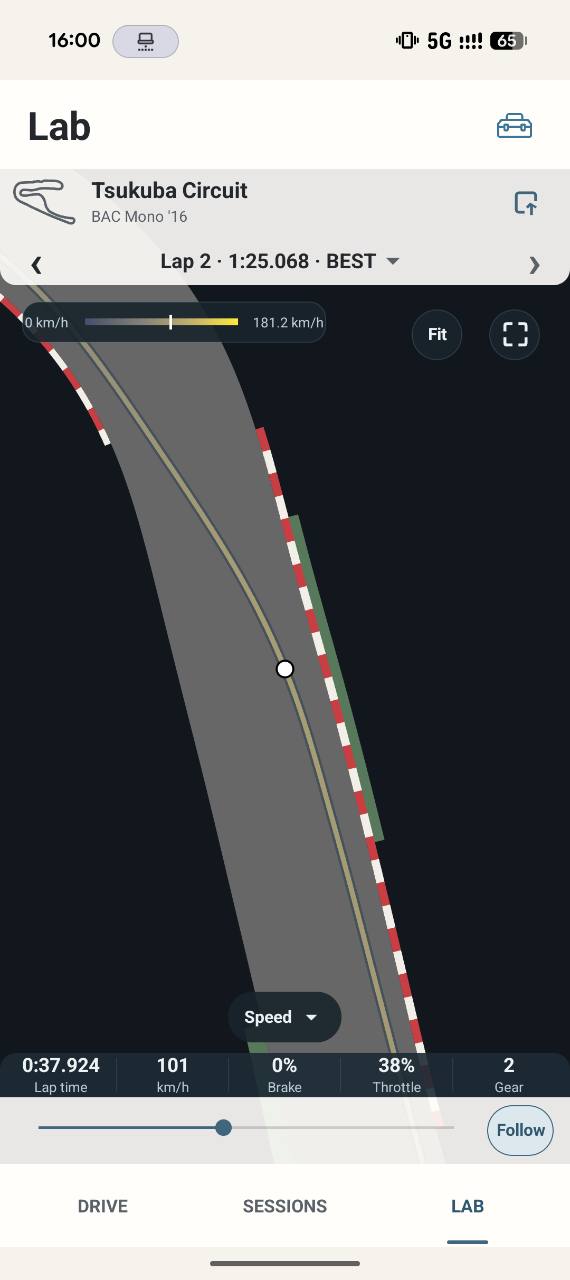
Where: Loaded LAB → analysis controls and time scrubber; fullscreen exposes the tools panel.
How to use it
- Choose Lap, Speed or Throttle / Brake in the analysis controls. Lap shows your line; Speed colours by retained speed; Throttle / Brake shows input combinations. Gear and other statistics describe the selected point.
- Move the time scrubber to inspect the lap. It selects real retained telemetry; it is not a uniform sample-index clock. Start/finish endpoints appear only when the available evidence supports them.
- Pinch to zoom and drag to pan. Fit restores the canonical view. Center selected point brings the cursor back without claiming the car is on a perfect line.
- Follow moves the view with the selected point. Fixed keeps a deliberate viewport while scrubbing. Use Own line ON/OFF to show or hide the active trace; this is a temporary LAB-visit presentation choice.
- Fullscreen tools and contextual panels can be dismissed to reveal the map. The Speed/inputs legend and statistics are views of the same selection, not independent telemetry recordings.
Options and defaults
| Control | Fresh default | Values / action | Condition or meaning |
|---|---|---|---|
| Analysis mode | Lap on fresh workspace | Lap / Speed / Throttle / Brake | Visualises the same selected trace |
| TIME scrubber | Initial supported boundary/point | Retained lap timeline | No invented elapsed through pause/menu |
| Fit | Manual action | Canonical map view | Does not edit geometry |
| Zoom / Pan | Fitted view initially | Pinch / drag | Display transform |
| Follow | Fixed on a new workspace | Fixed / Follow | Camera behaviour |
| Center selected point | Manual action | Recenter cursor | Preserves useful zoom |
| Own line | ON on LAB entry | On / Off | Temporary presentation |
| Tools / contextual panel | Collapsed when appropriate | Open / dismiss | Presentation only |
Operating principle and expected output
Speed and pedal colours describe retained measured values. Comparison/reference lines remain visually distinct from your active line. Freeze-approved map geometry is only transformed for display, never adjusted by your driving trace.
When output is absent or limited
No tyre wear/pressure/compound, opponent gaps, live weather radar or universally reliable slip diagnosis is promised. An absent value is unknown, not a measured zero. Missing time/continuity evidence limits inspection rather than authorising synthetic samples.